
ScreenshotLesson 1 of 61
What ENUT Craft is and how it differs from the ENUT plugin
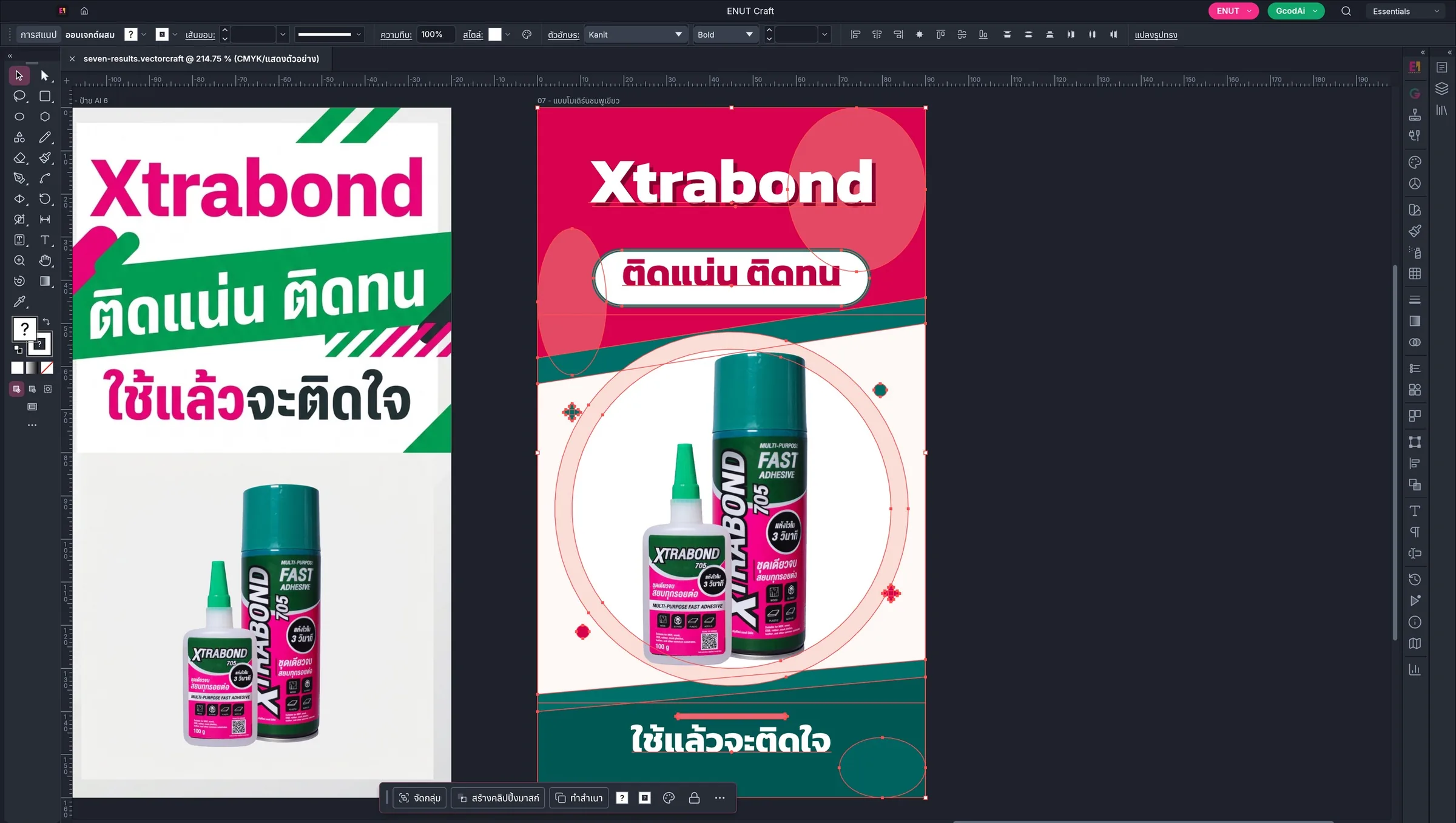
ENUT Craft is a standalone sign design program for Thai text. You can use it without Illustrator or CorelDRAW. The ENUT plugin is an add-on you install inside Illustrator or CorelDRAW. Both use the same ENUT key.
Steps
ENUT Craft is a program of its own, with built-in vector drawing tools, Thai text, layers and artboards. The whole program has Thai menus.
The ENUT tools are in the ENUT menu and the ENUT Panel, for example nesting, die-cut, LED work and letter pricing.
AI jobs such as AI Sign Design… and AI Upscale… are in the AI menu and use ENUT AI credits.
The GcodAi CNC tools are in the GcodAi menu. You can use them once you sign in with a GcodAi member account.
The ENUT plugin still works in Illustrator and CorelDRAW as before. One ENUT key works for every ENUT program on the same computer.
ENUT Craft runs on Macs with an Apple chip (M1 or later) and on 64-bit Windows.
Frequently asked questions
I already have an ENUT key. Do I need to buy ENUT Craft separately?
No. Use your existing ENUT key and install ENUT Craft from your account page at enut.pro/account.
Can I open a CorelDRAW (.cdr) file in ENUT Craft?
Not directly yet. Export it from CorelDRAW as PDF, AI or SVG first, then open that file in ENUT Craft.