
ScreenshotLesson 28 of 61
Round the corners to match the router bit
A router bit cannot cut a sharp inside corner. Use ENUT › Round Corners… and set the inside radius to the bit's radius (half the bit size). Acrylic and PVC foam board parts then fit together properly, with no back material showing.
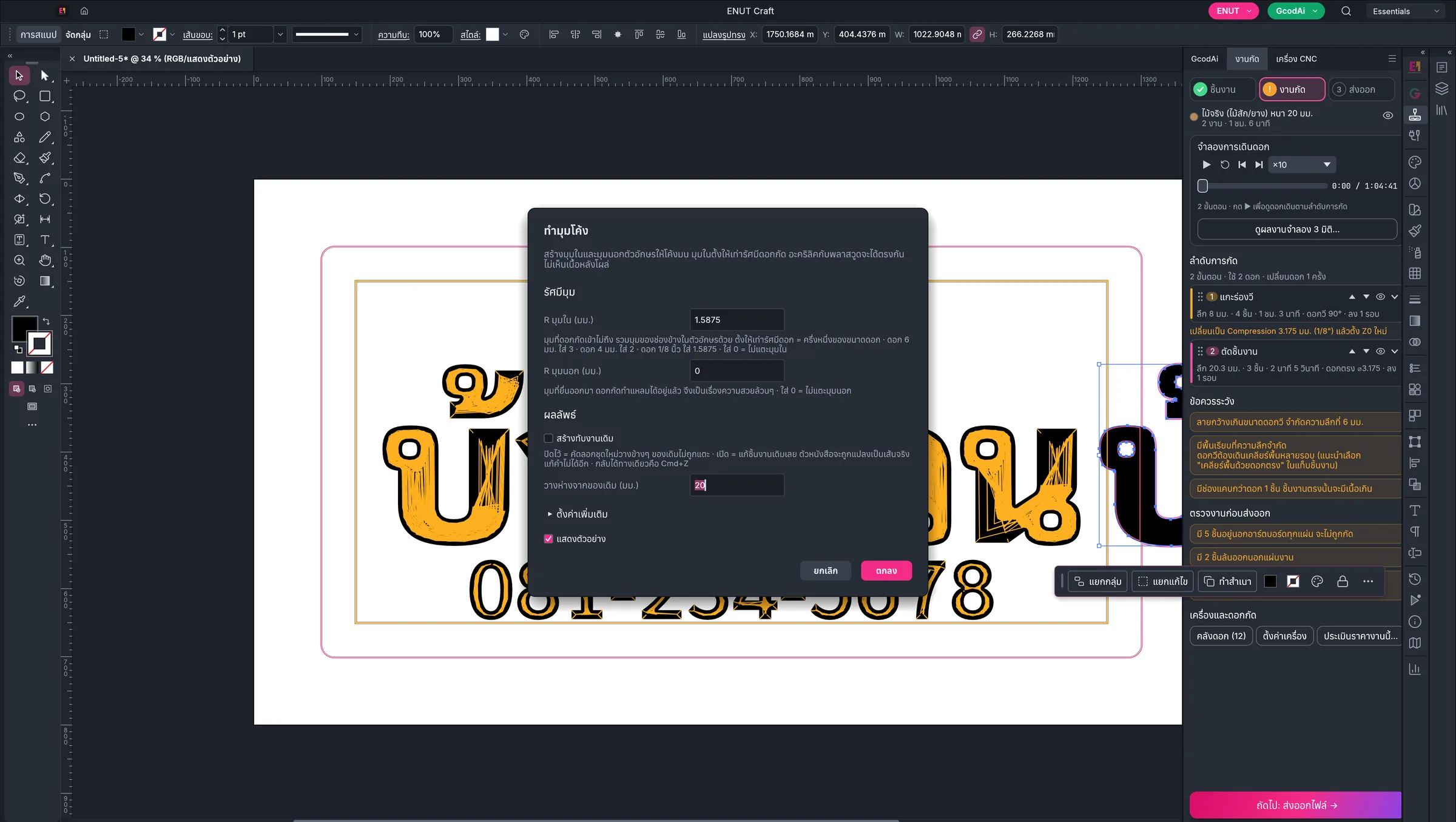
Steps
Select the letters or parts.
Open ENUT › Round Corners….
Enter the Inside radius (mm) equal to the bit's radius. For example, a 6 mm bit: enter 3 · a 4 mm bit: enter 2 · a 1/8 in bit: enter 1.5875.
Enter the Outside radius (mm) if you want the outside corners rounded too (0 = leave the outside corners alone).
Leave Work on the original unticked. The program places the new set next to the old one and does not touch the original.
Click OK.