
ScreenshotLesson 34 of 61
Centre Line of the Letters
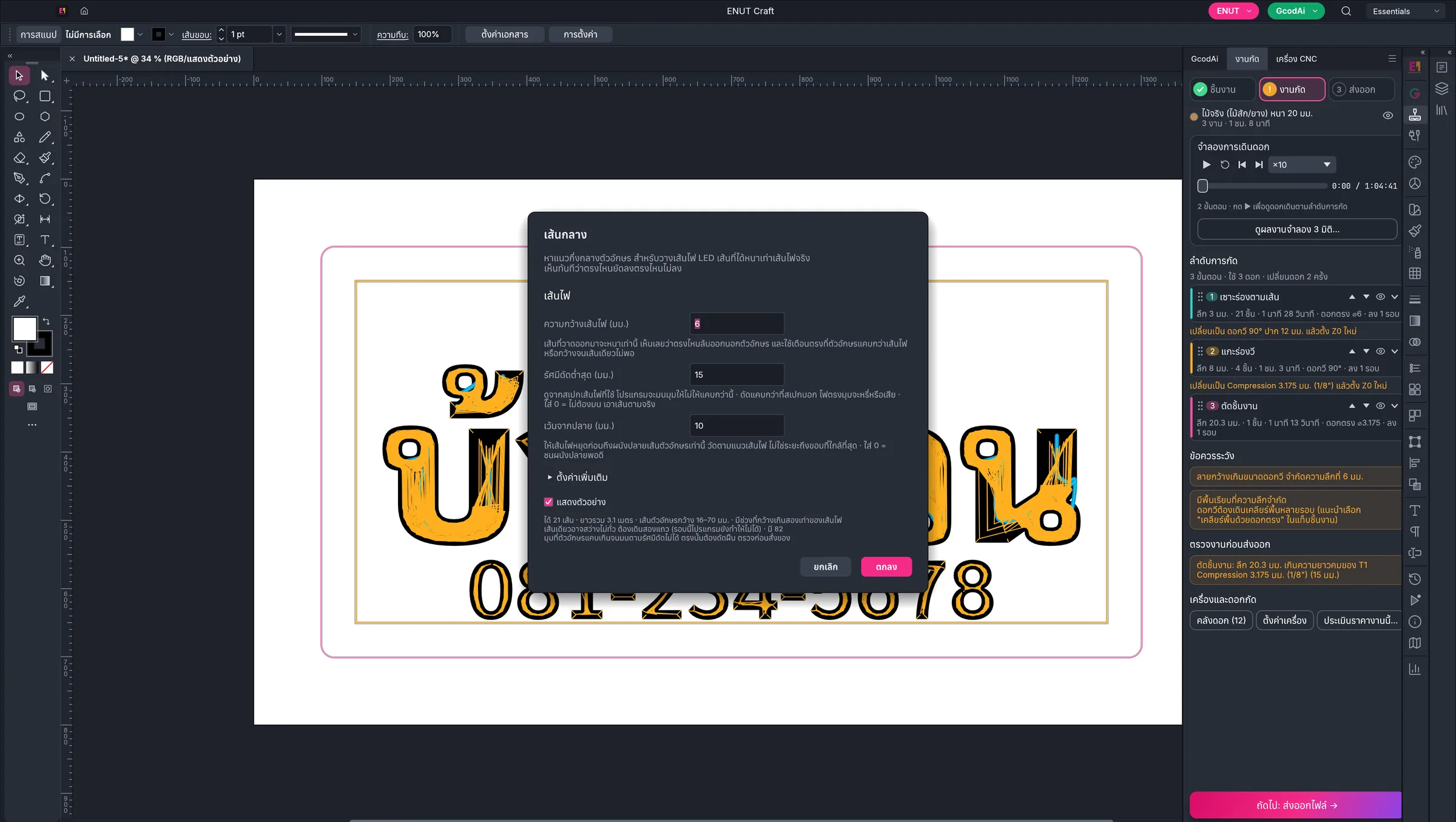
Select the letters and use ENUT › Centre Line…. The program finds the middle path of each letter as a line as thick as your real LED strip, so you can see right away where the lights fit and where it is too narrow.
Steps
Select the letters that will get lights
Open ENUT › Centre Line…
Enter the Strip width (mm) to match the lights you use
Set the Minimum bend radius (mm) and the Gap at each end (mm)
Click OK. The centre lines are blue on the layer Centre Line. They are not red, because red means a cut line