ScreenshotLesson 36 of 61
Edit Your Shop's LED Models, and Measure Perimeters
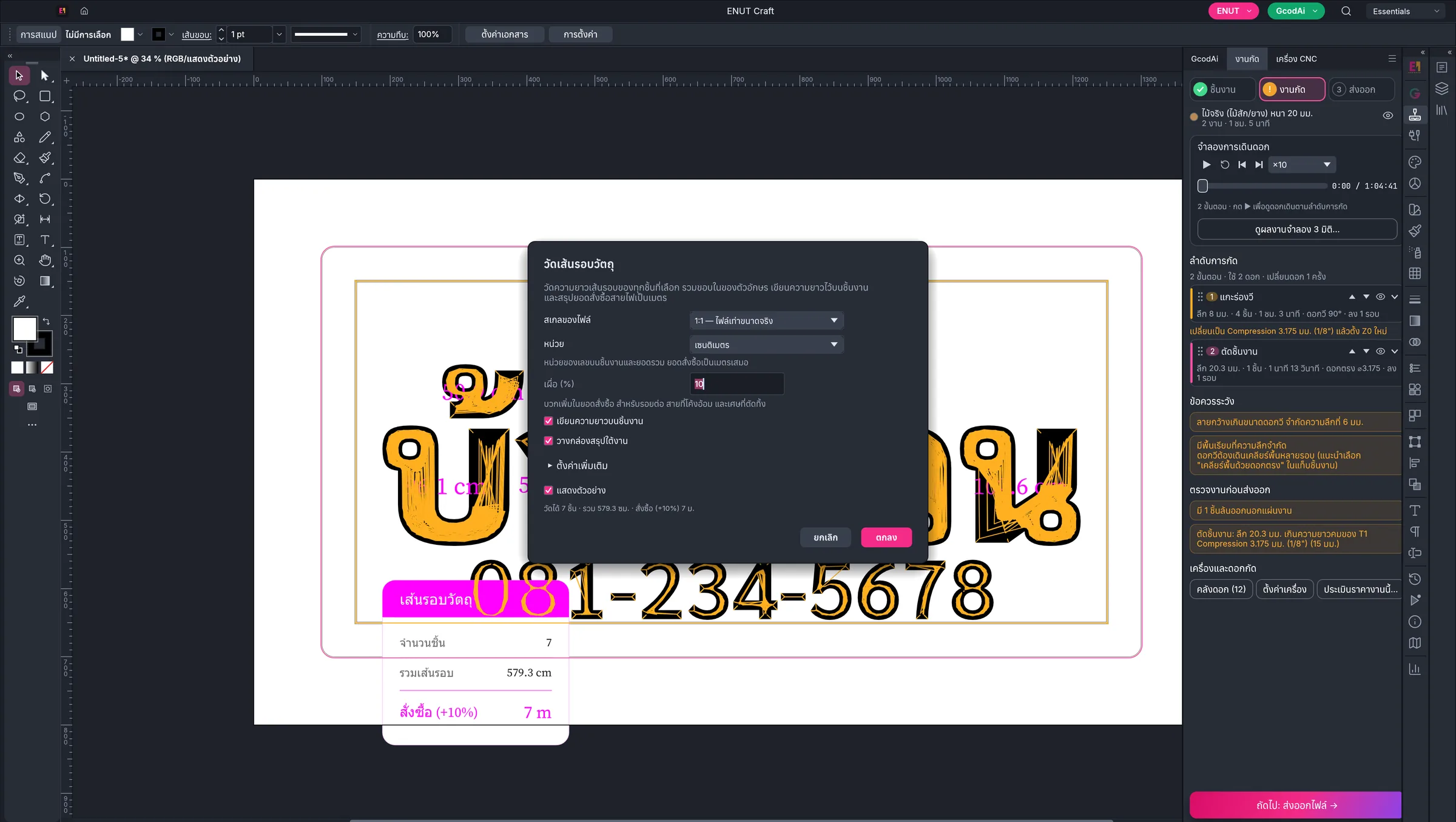
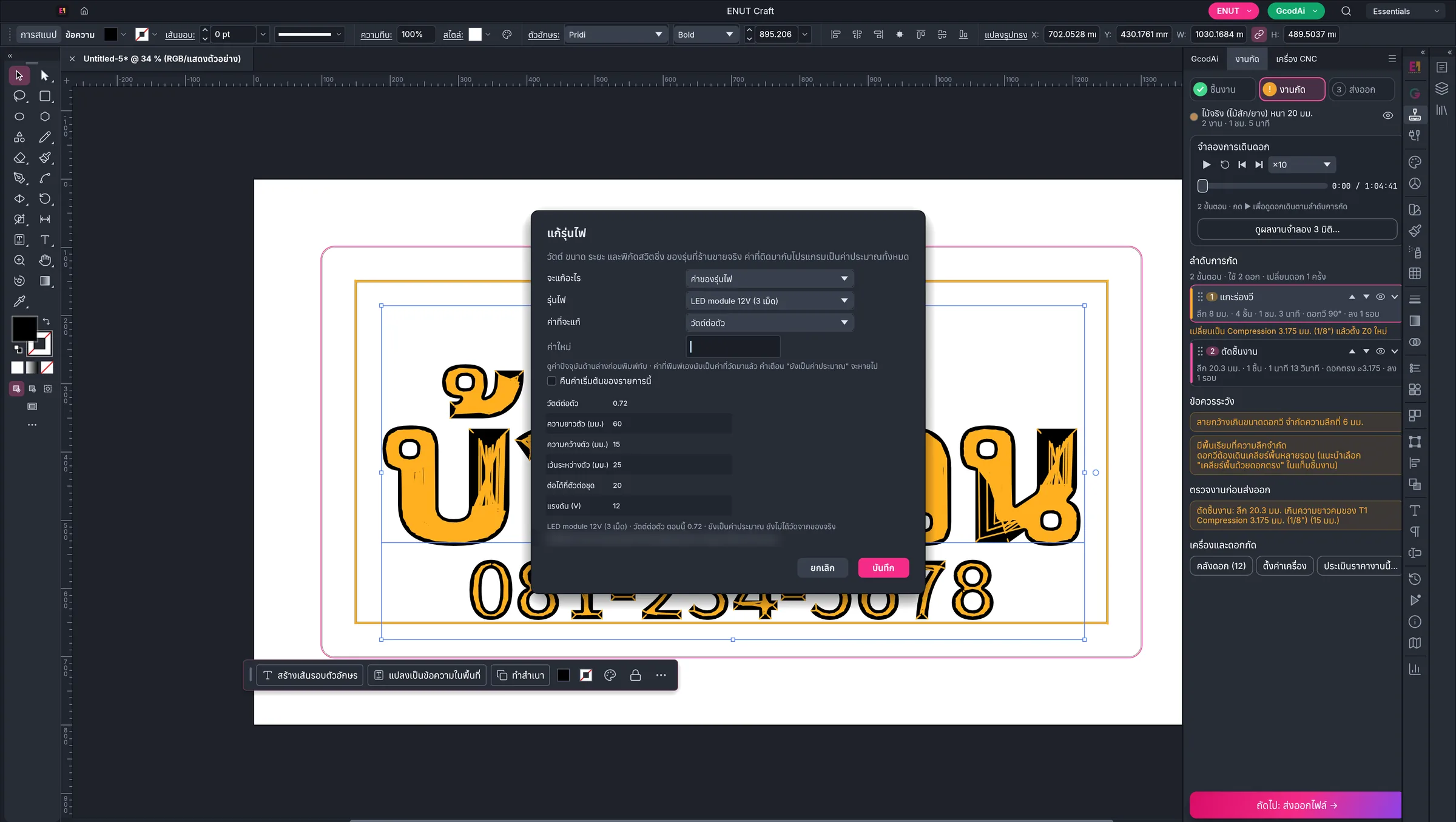
Use ENUT › ENUT Edit LED Models… to enter the watts, sizes, spacing and power supply ratings of the models your shop really sells. ENUT › Measure Perimeter… measures the outline length of every selected piece, writes the length on each piece, and totals the wire to order in meters.
Steps
Open ENUT › ENUT Edit LED Models…
Under What to edit, choose The figures for an LED model, then choose the LED model, pick Which figure, type the New figure and click Save
To change the power supply ratings your shop sells, edit The power supplies the shop stocks
To measure a perimeter: select the artwork, then open ENUT › Measure Perimeter…
Set the Drawing scale, the Units and the Allowance (%), and tick Write each length on its piece and Place the summary card under the job
Click OK to get the total length of the inner edges of the letters, with the amount to order in meters
Screenshots in this lesson