
ClipLesson 52 of 61
Connect a CNC (GRBL over USB), Jog the Head and Set Zero
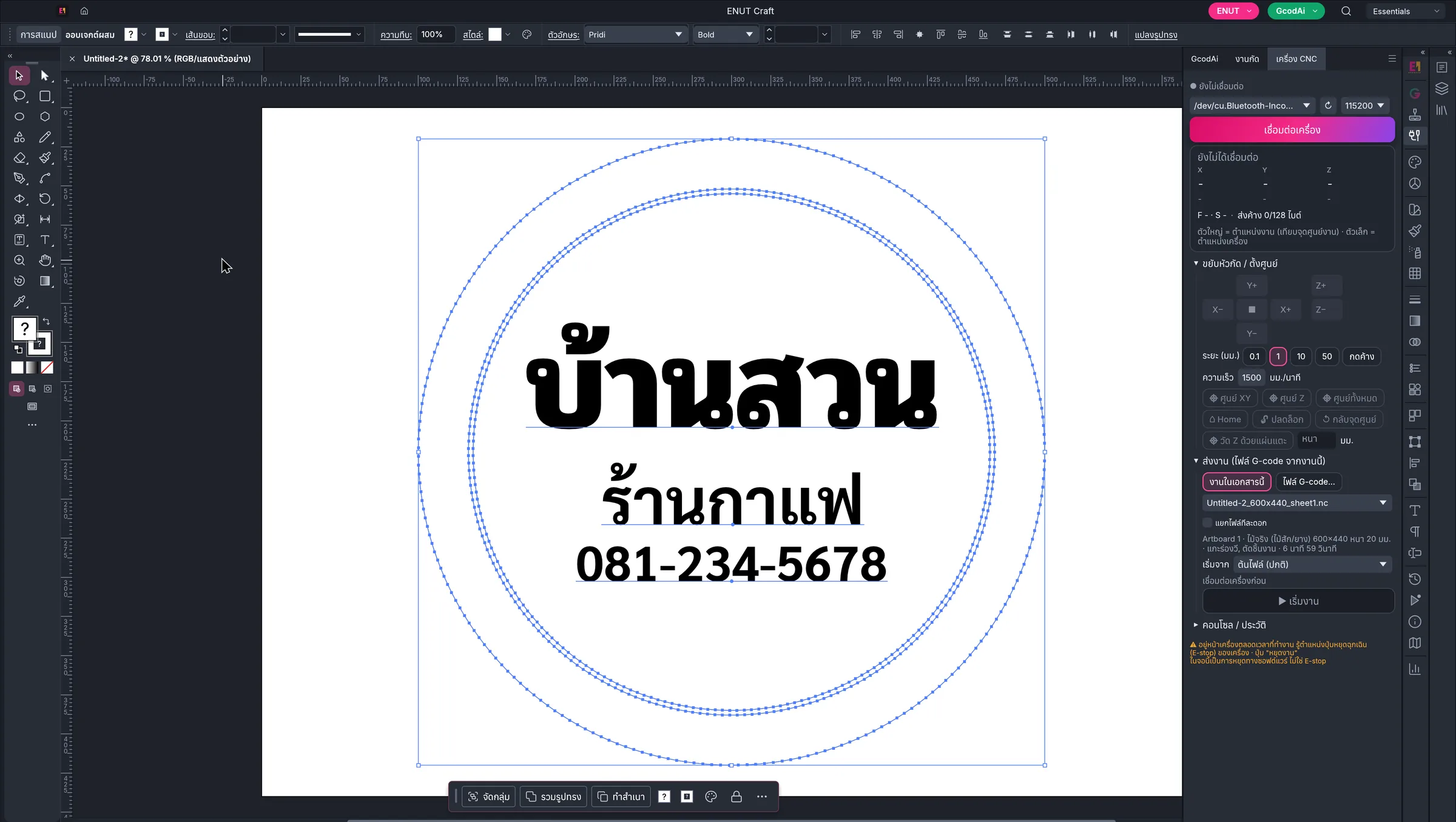
Connect a CNC with a GRBL controller by USB cable, then open GcodAi › CNC Machine…. Connect to the machine, jog the cutting head, set XY and Z zero, and send the job to the machine from the program.
 Clip in progress
The clip for this lesson is being made. For now, follow the screenshots and steps below. The clip will appear here when it's ready.
Steps
Plug the USB cable from the CNC machine into your computer
Open GcodAi › CNC Machine…, choose the port (click ↻ if you can't see it yet), then click Connect to Machine
In the Jog / Set Zero section, choose the Distance (mm), then move the cutting head to the start point of the job
Click XY Zero, then set the Z axis with Z Zero or Z probe with a touch plate
In the Send Job (G-code from This Job) section, click ▶ Start Job, tick every item in the pre-start checklist, then click ▶ Start now
Stop the job with ■ Stop Job or Pause