
ScreenshotLesson 30 of 61
Award plaques
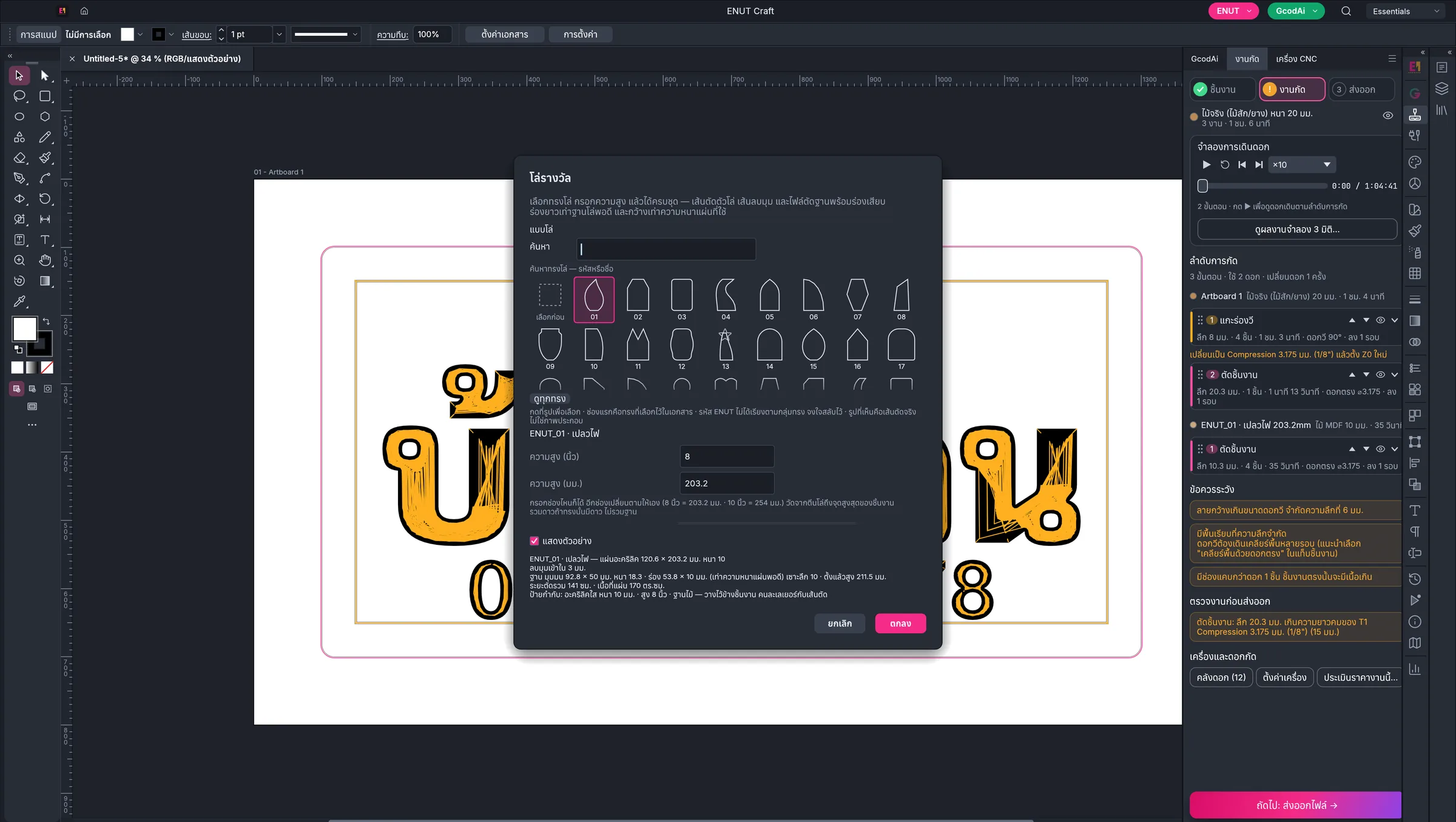
Use ENUT › Award plaque…. Pick a plaque shape and enter the height. You get the whole set: the cut line for the plaque, the bevel lines, and a base cut file with slots for the plaque to stand in.
Steps
Open ENUT › Award plaque….
Pick a shape under Plaque shape. Type to search, or click See every shape.
Enter the Height (inches) or the Height (mm). The two boxes change together. Then choose the Plaque material.
Choose the Bevel style, for example a single line for grinding or sanding by hand, or a 3D V-groove.
In Detailed settings, tick Make the base cut file and set the Base corners.
Click OK.