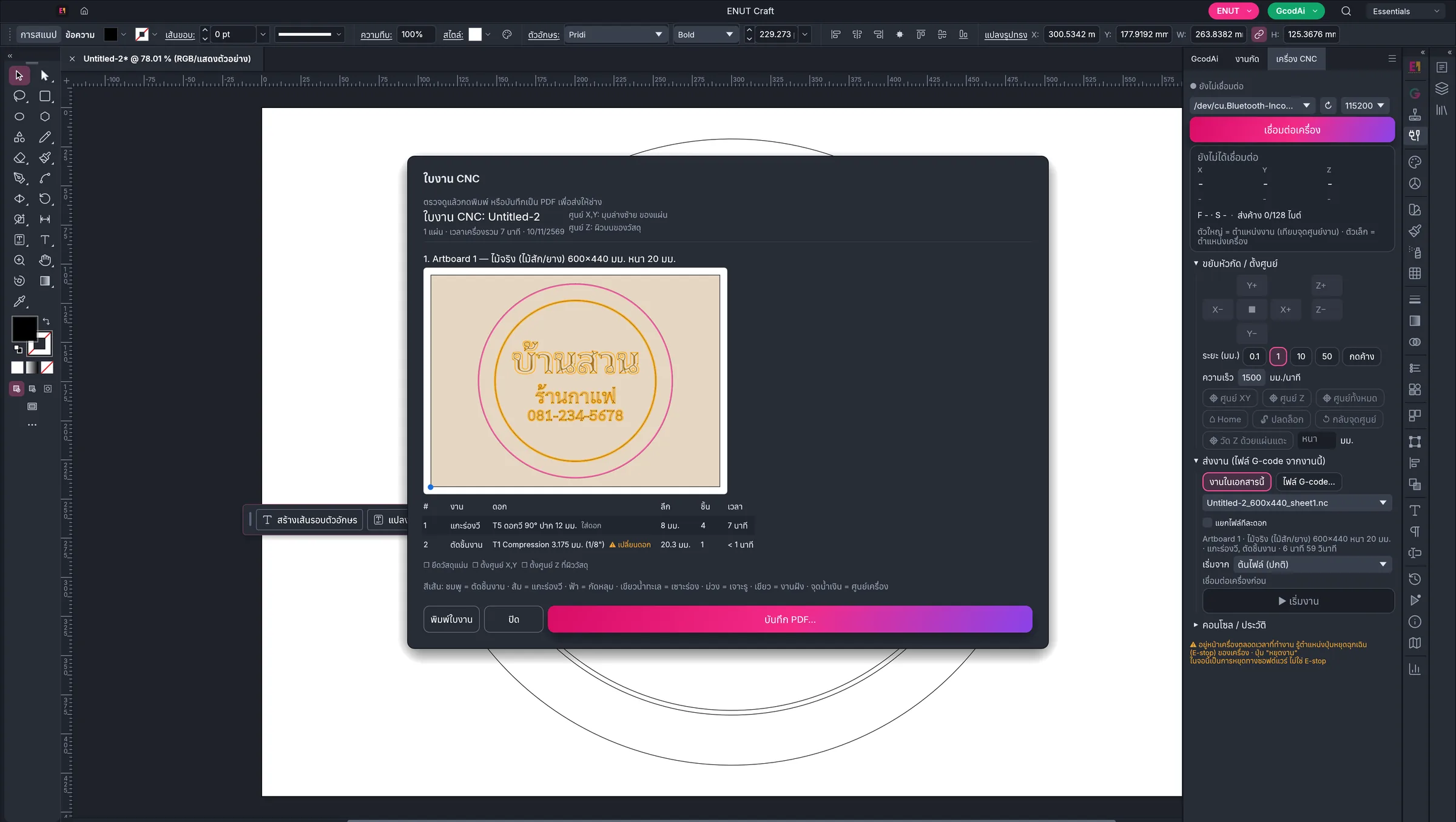
ScreenshotLesson 57 of 61
Estimate a Machining Job, and Print the Job Sheet
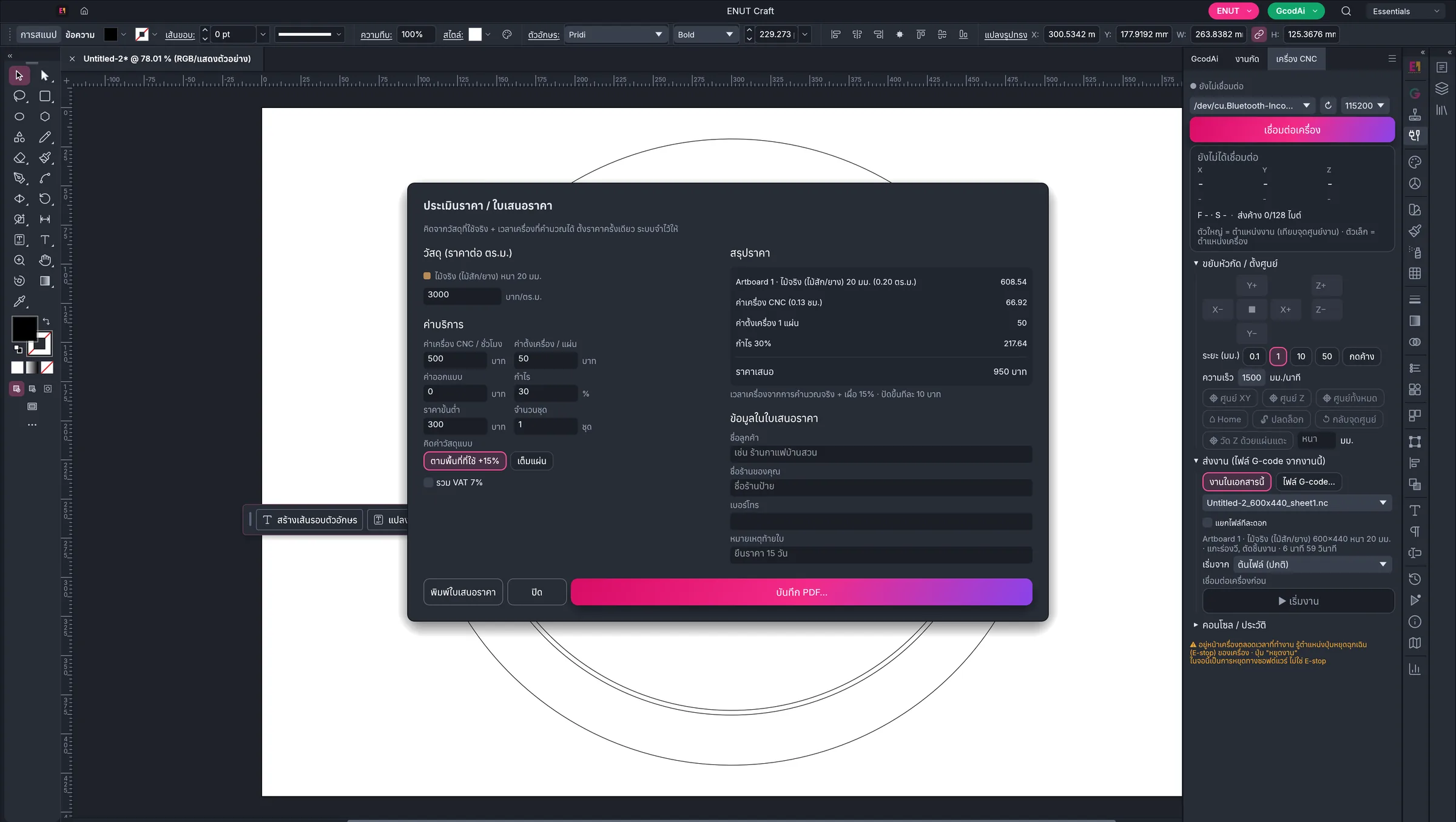
In the machining panel, click Estimate this job…, enter the customer name and the number of sets, and the program adds up the material, service, design fee and VAT for you. Print the quotation or save it as a PDF, and print the job sheet for your machinist from the export tab.
Steps
The first time, set up your service rates and shop details: open the ≡ menu of the panel and choose Quote rates and shop details…
On the Machining tab, click Estimate this job…
Enter the Customer and the number of Sets, then choose Charge the material by, area used or full sheet
Check the Price summary, edit the Quoted price if you need to, then click Print the quotation or Save PDF…
Job sheet: on the Export tab, click Print the job sheet…, then click Print the job sheet
Screenshots in this lesson