ClipLesson 25 of 61
ENUT Calc, a price calculator for sign jobs
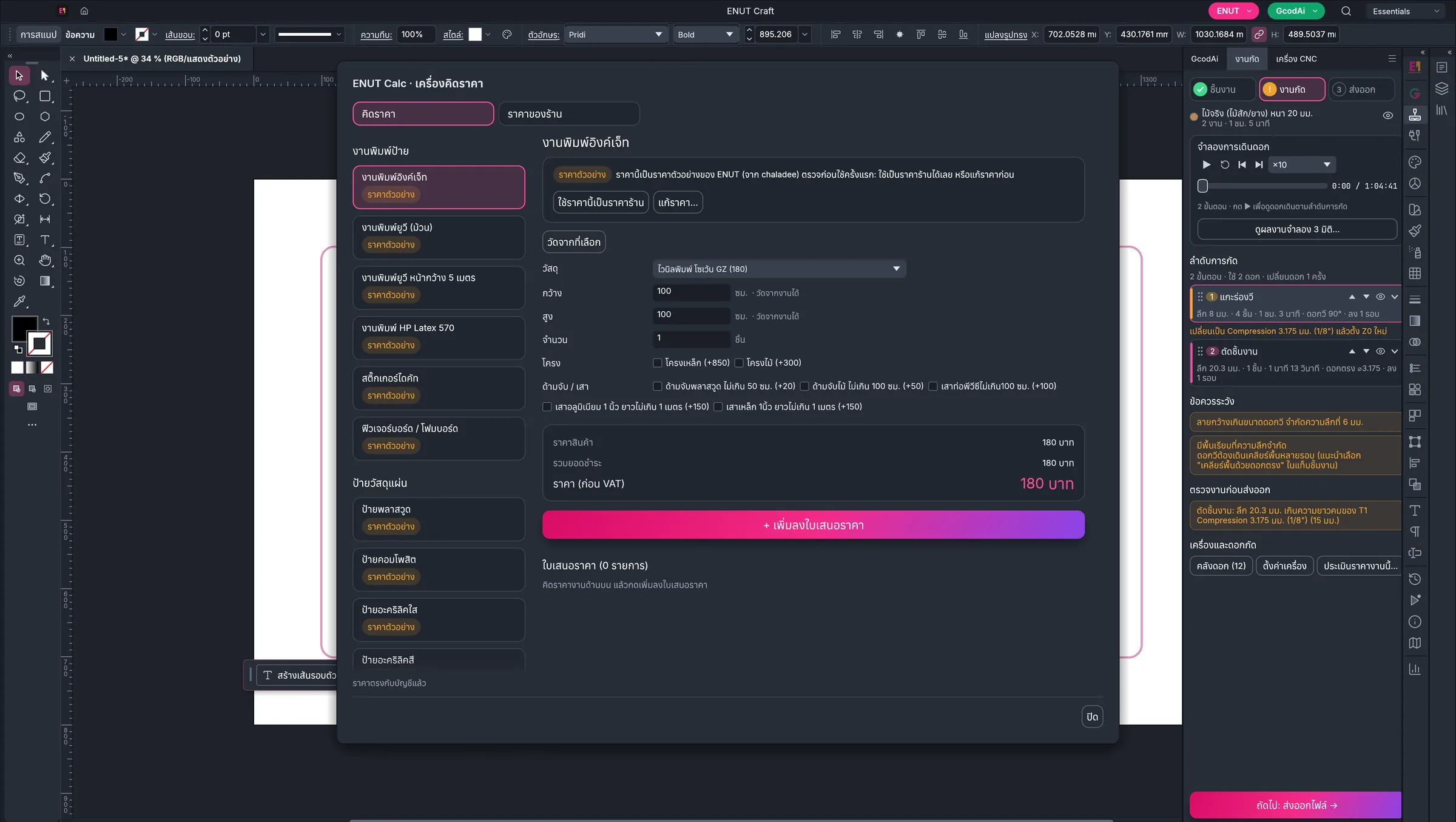
ENUT Calc prices print jobs, sheet materials, flyers and ready-made signs, then puts them together into a quotation. You can add a discount, shipping and 7% VAT. Open it at ENUT › ENUT Calc….
Tutorial clip 1:05 (narrated in Thai) Watch on YouTube
Steps
Open ENUT › ENUT Calc….
On the Work out the price tab, pick the job. If you have selected a piece of work, click Measure from Selection and the program measures the size for you.
Look at the Price (before VAT) and click + Add to the quote. Repeat until every item is in.
In the quotation, enter Discount % and Shipping, and tick VAT 7% if you need it.
To send it to the customer, click Copy for LINE or Place the price card on the artboard.
On the Shop Prices tab, change the prices to your shop's own, then click Save the rates.
Screenshots in this lesson