
ScreenshotLesson 39 of 61
Export Folded Jobs as G-code, DXF or SVG
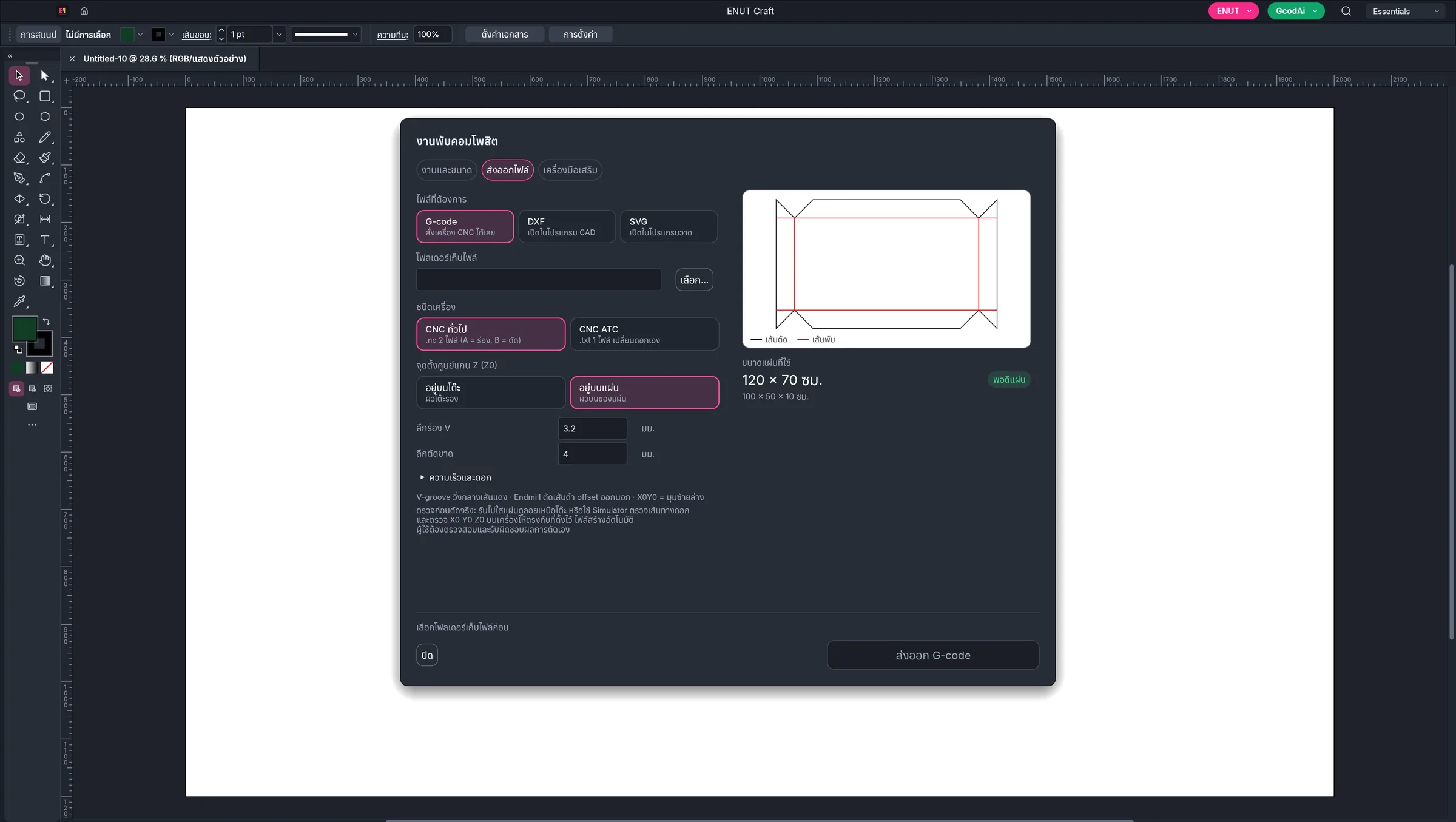
In the composite folding window, open the export tab and choose G-code, DXF or SVG. For G-code you can choose a general CNC (2 .nc files, one for grooves and one for cutting) or a CNC with ATC (1 .txt file). The V-groove runs along the middle of the red line, and the end mill cuts the black line.
Steps
In the Composite folding window, go to the Export File tab
Under File Type, choose G-code (send straight to a CNC), DXF (open in CAD software) or SVG (open in drawing software)
Choose the Output folder with the Choose… button
For G-code, choose the Machine type: a general CNC gives 2 .nc files (A = grooves, B = cutting), and a CNC with ATC gives 1 .txt file
Set the Z Zero Point (Z0), the V-Groove Depth and the Cut-Through Depth
Click Export G-code (or Export DXF / Export SVG)