
ScreenshotLesson 12 of 61
Real-size artboards, and artboards that match the sign size
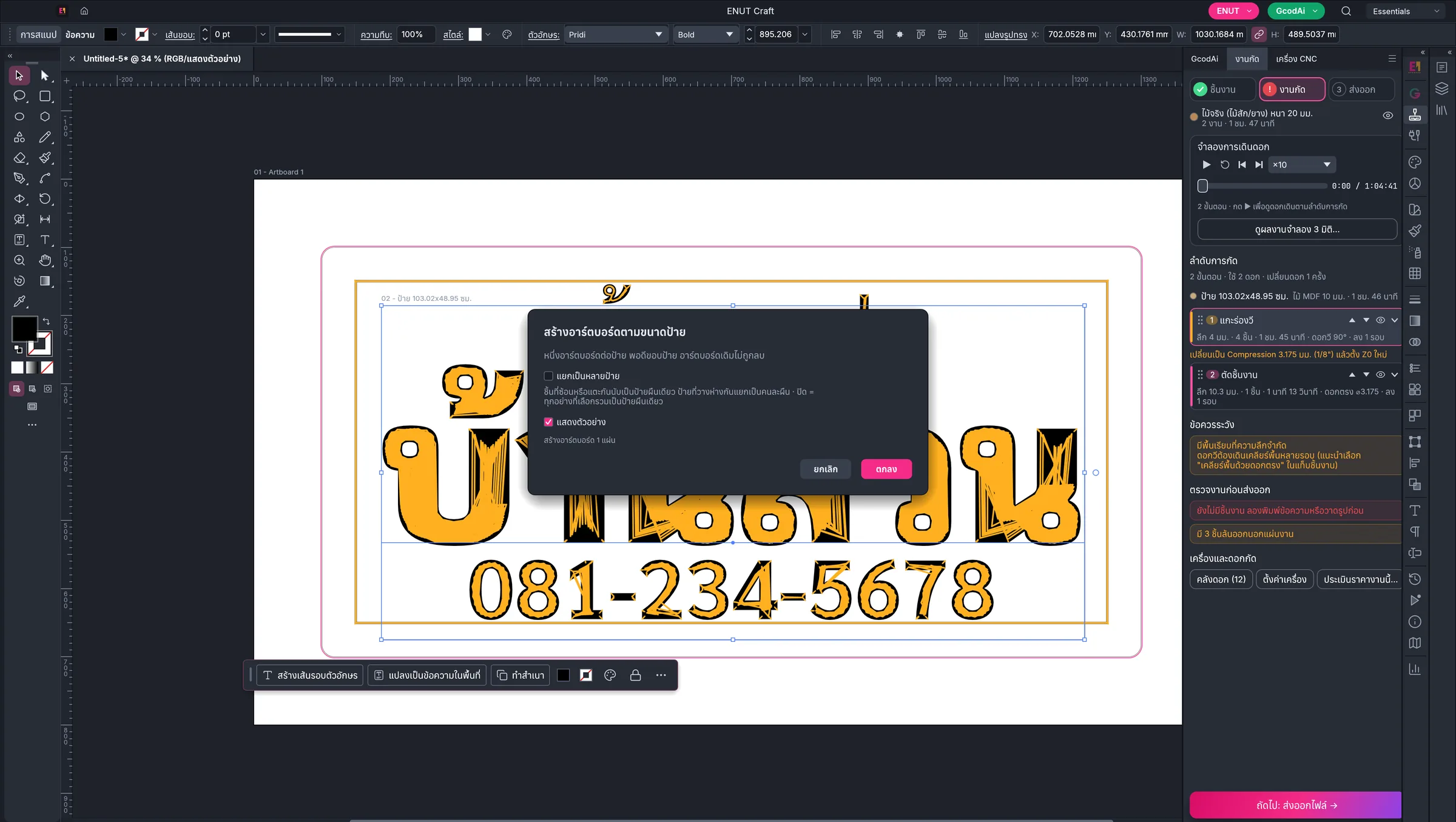
Start a job from A File › New…. Pick a ready-made sign size, vinyl banner, sticker or sheet material, then design at real size in millimeters. If you have already drawn several signs, use ENUT › Artboards to Banner Size… to get one artboard that fits each sign exactly.
Steps
Open File › New… and choose the Sign Shop tab, then Vinyl Banner, Sticker or Sheet Material.
Choose a ready-made size, such as a 3×1 m vinyl banner or a Standard Sheet of 1220 × 2440 mm, or type the Width and Height yourself, then click Make.
To change the size later, go to File › Document Setup… and click Edit Artboards, or use the Artboard Tool.
Several signs in one job: select the signs, then open ENUT › Artboards to Banner Size…. If there are several, tick Several banners, then click OK.
You get an artboard that fits the edge of each sign, one artboard per sign. Your old artboards are not deleted.