
ScreenshotLesson 29 of 61
Spray-paint stencils with automatic bridges
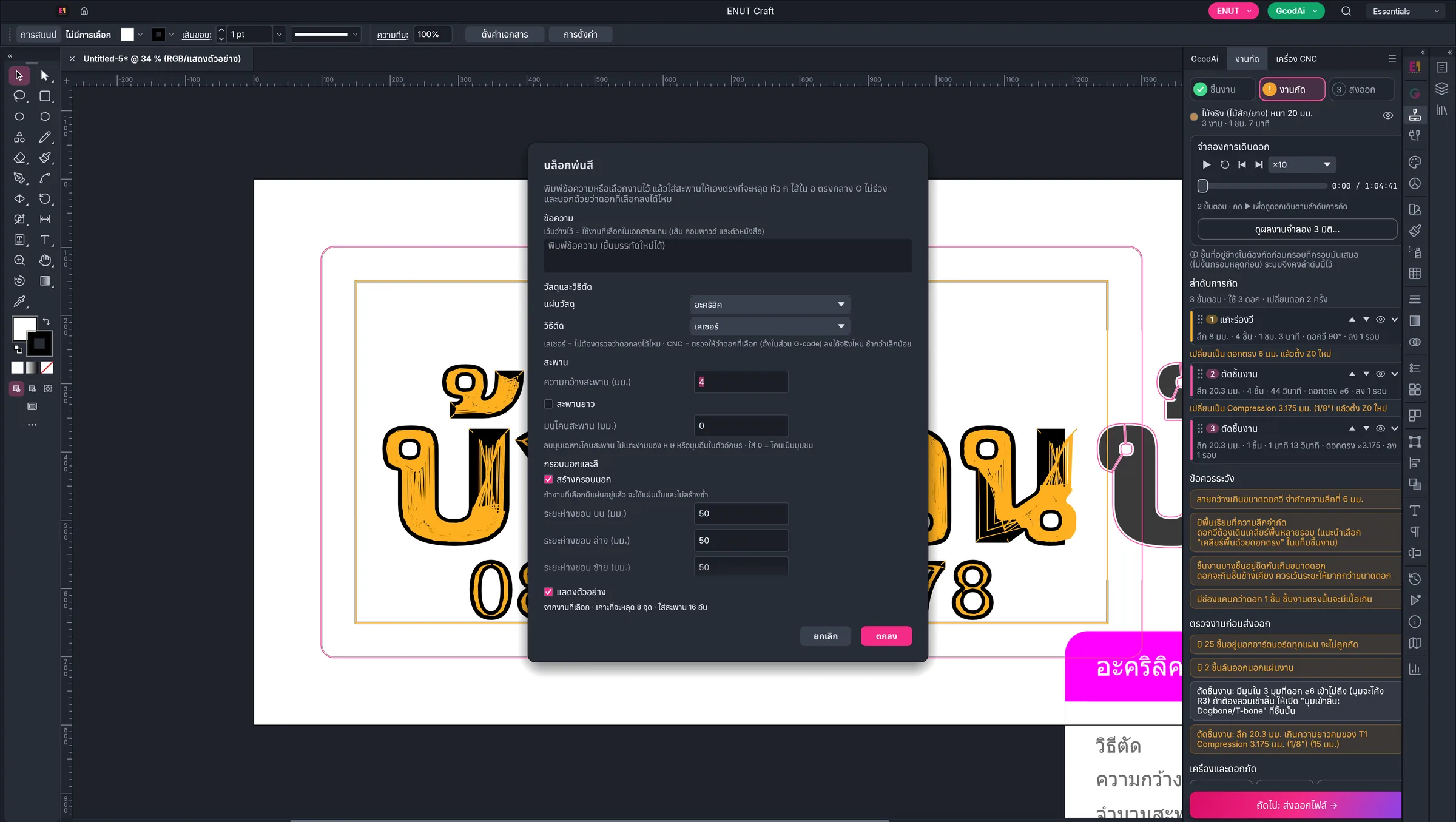
Use ENUT › Spray-paint block…. Type your text or select your work. The program finds the islands that would fall out of the sheet and adds bridges for you. You get a spray stencil ready to cut, and you can export G-code from the same window.
Steps
Open ENUT › Spray-paint block….
Type your text in the Text box, or leave it empty to use the work you have selected.
Choose the Font and enter the Letter height a c e (mm).
Set the Bridge width (mm), and tick Draw an outer frame if you want a border around the sheet.
Check the summary to see how many islands would fall out and how many bridges were added, then click OK.
To cut right away, set the options under G-code settings, then click Export G-code.