ClipLesson 56 of 61
Finger Joint Boxes and Cabinet Design (Cut List, Place on Sheet)
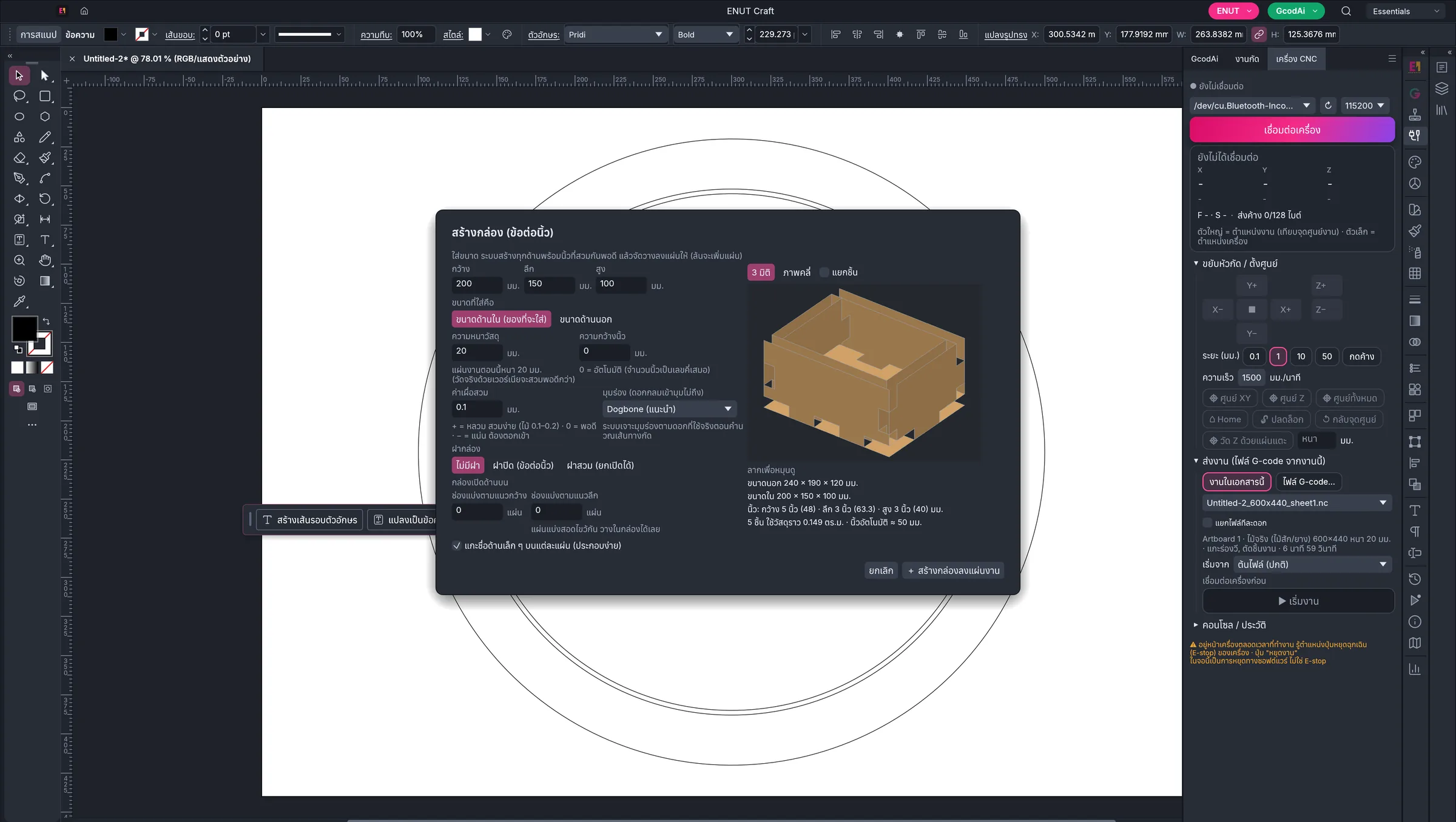
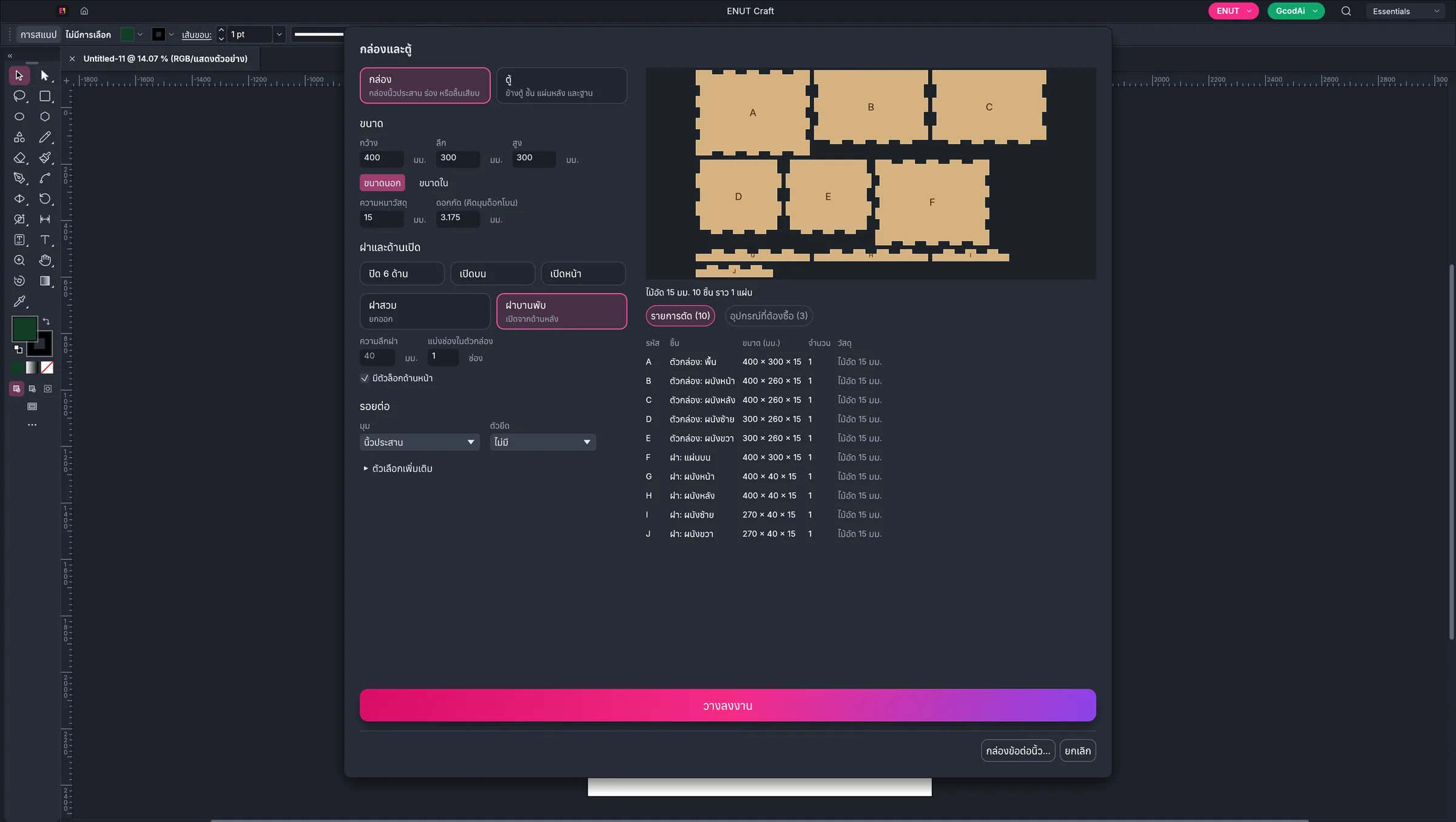
Prakobd › Boxes and Cabinets…: enter the size and you get every piece of the box or cabinet. Choose the joints, look at the cut list and the hardware to buy, then place everything on the sheet. The GcodAi finger joint box is at GcodAi › Boxes, Motifs, Slats… › Make Finger Joint Box….
 Clip in progress
The clip for this lesson is being made. For now, follow the screenshots and steps below. The clip will appear here when it's ready.
Steps
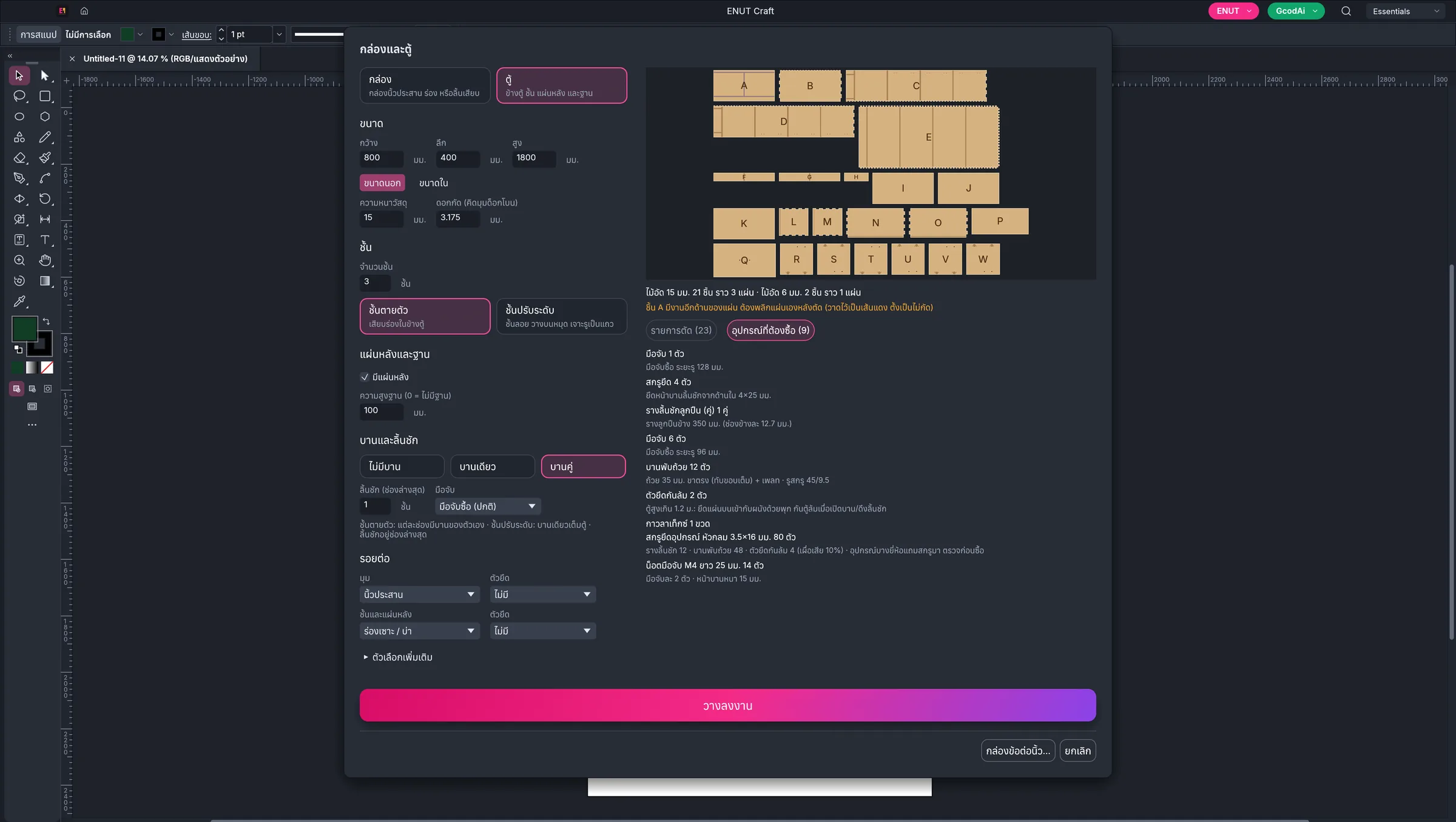
Open Prakobd › Boxes and Cabinets… (or ENUT › Boxes and Cabinets…)
Choose a box or a cabinet, then enter the Size (mm) and the material thickness
Choose the Joints, and for a cabinet set the Shelves and the Doors and drawers
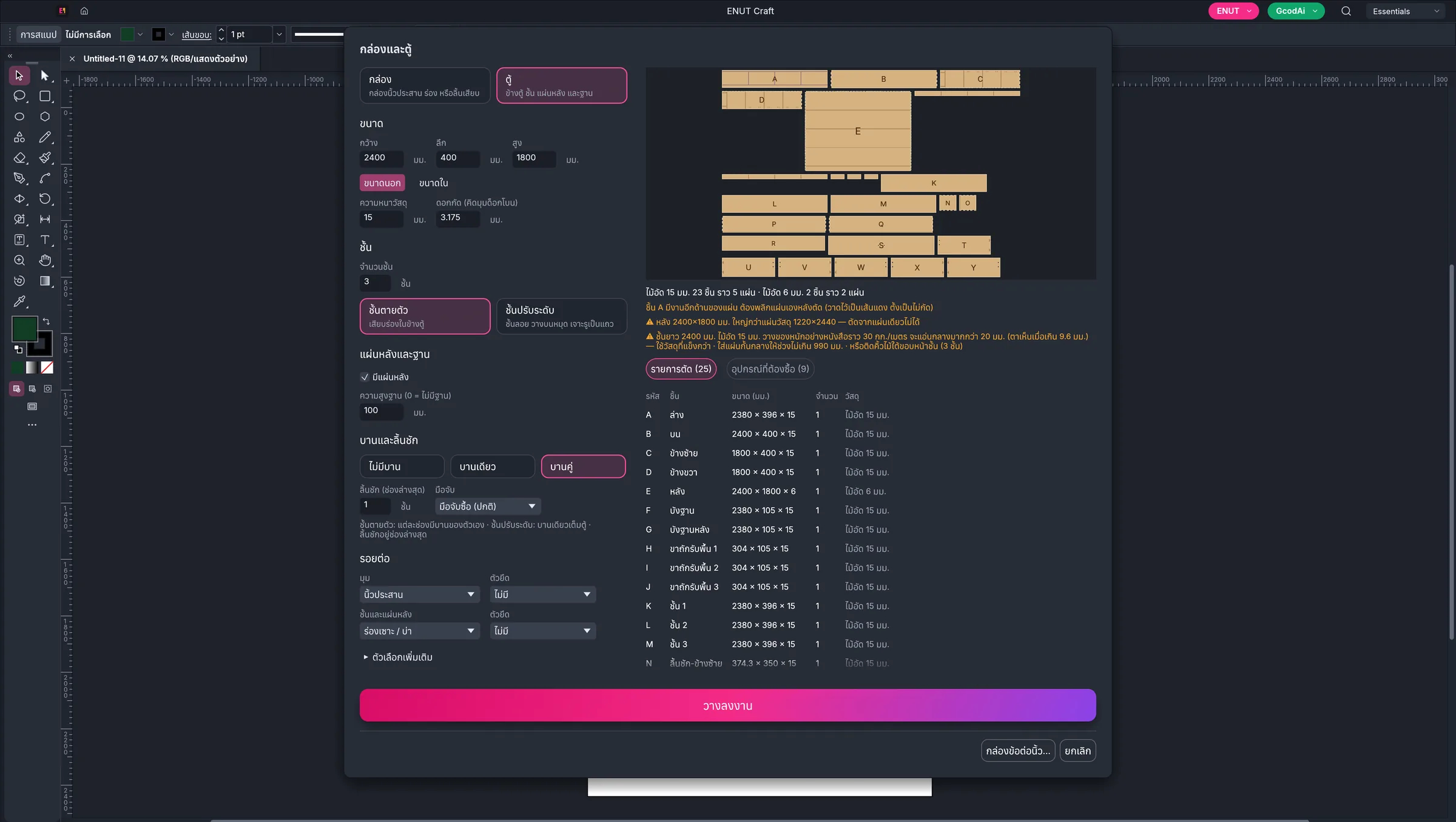
Look at the Cut list and To buy tabs. Warnings show as ⚠ lines, such as a shelf so long it will sag in the middle, or a piece bigger than the board
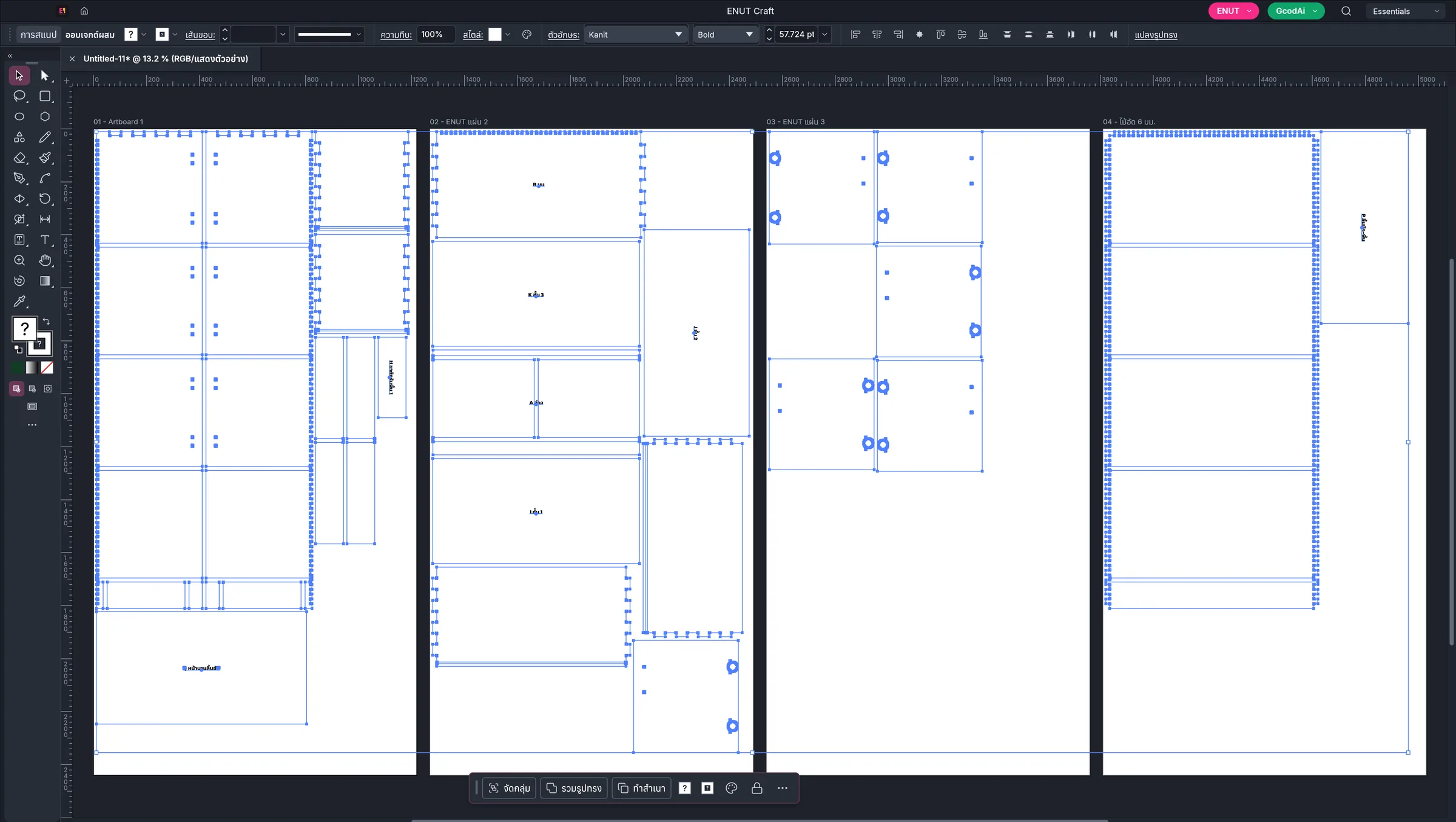
Click Place on the canvas. The pieces are laid out on sheets according to the Sheet width and Sheet length
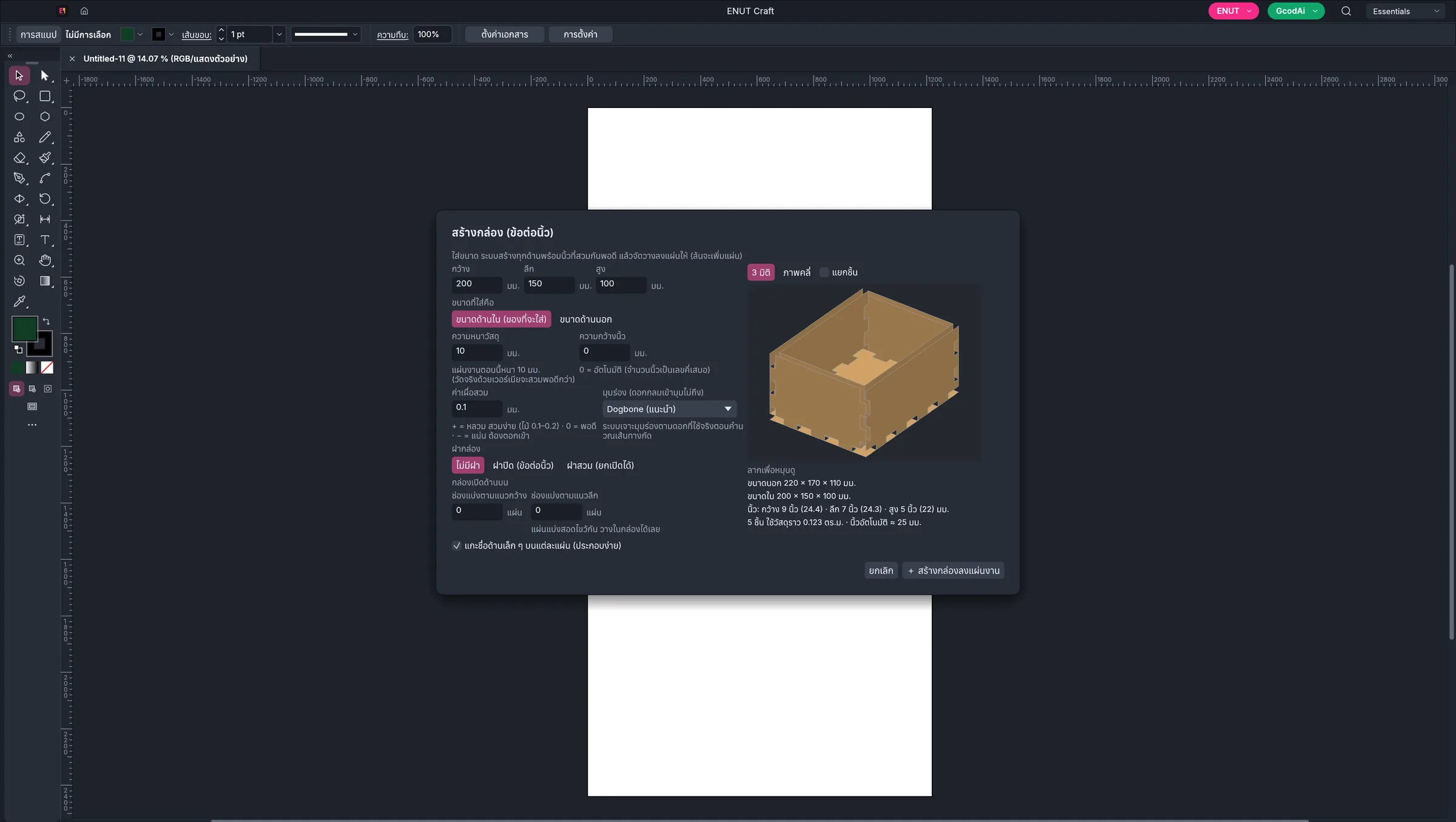
GcodAi finger joint box: open GcodAi › Boxes, Motifs, Slats…, choose Make Finger Joint Box…, enter the Frame width, the depth, the High value, the material thickness and the Finger width, then click + Make the box on the sheet
Screenshots in this lesson