ScreenshotLesson 45 of 61
Split Files for Printing, and Banner Eyelets
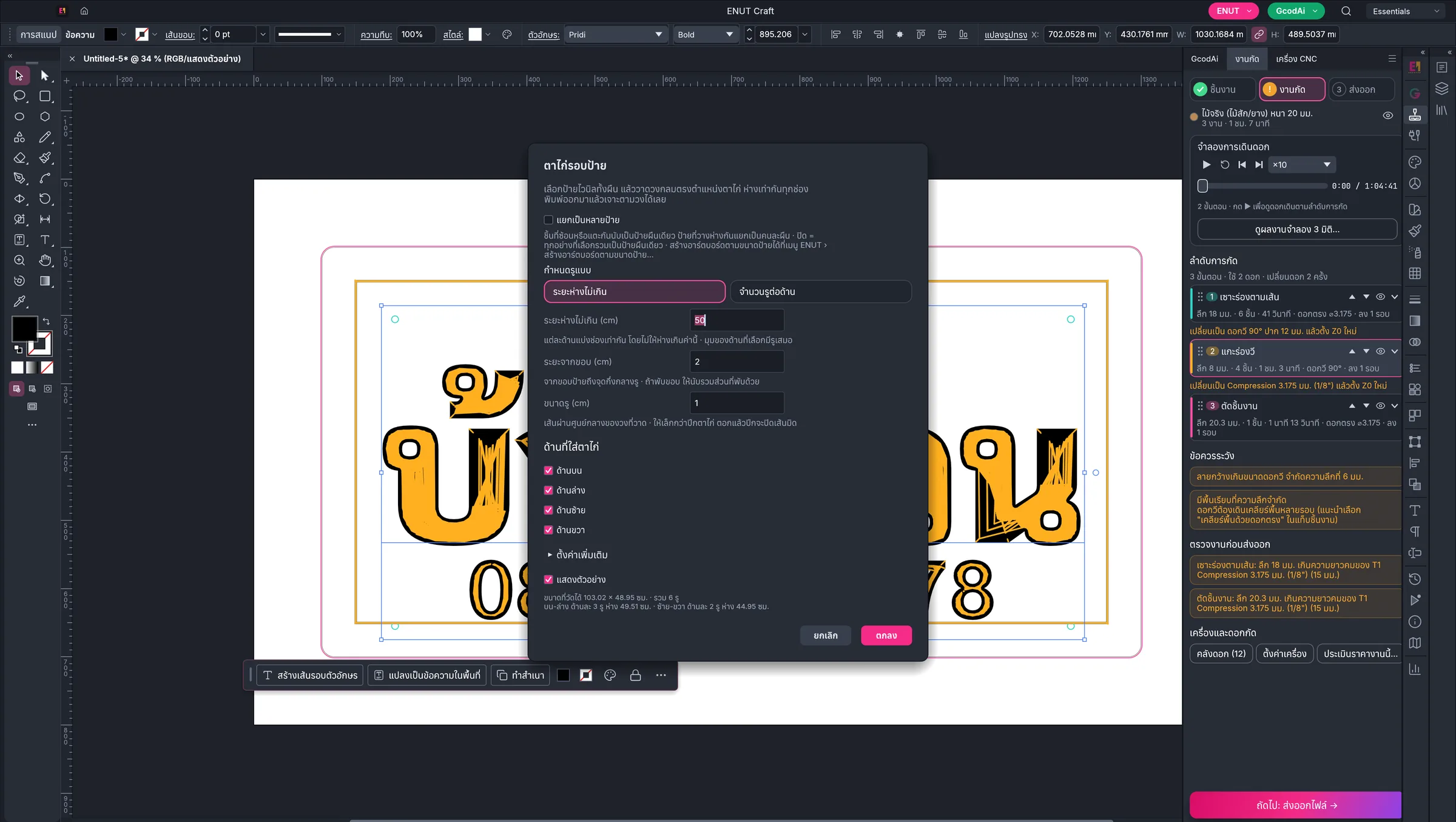
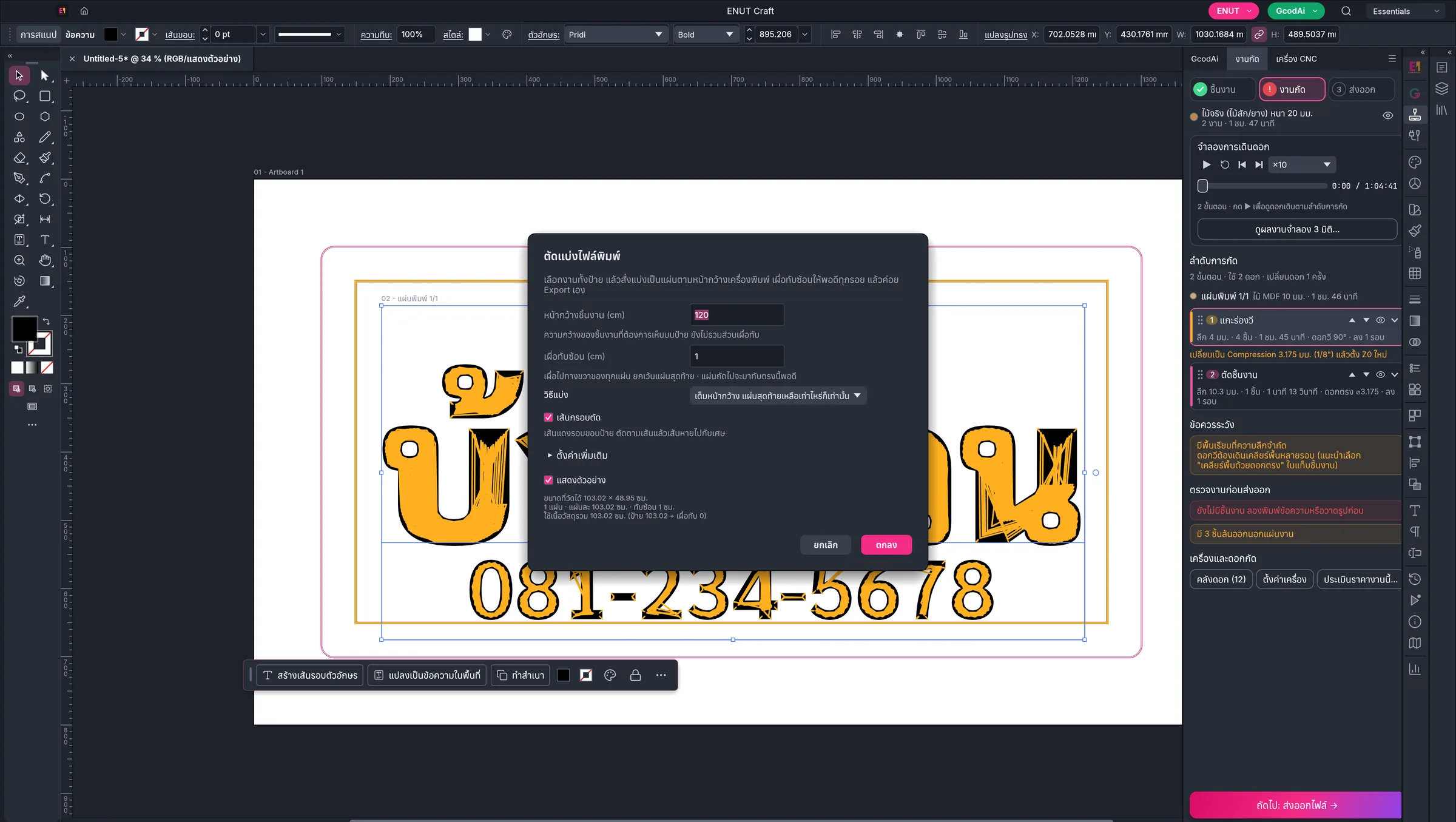
When a sign is wider than your printer, use ENUT › Split for Printing… to split it into panels with an overlap. ENUT › Banner Eyelets… draws eyelet positions at equal spacing around a vinyl banner, so you can print it and punch right at the circles.
Steps
Select the whole sign, then open ENUT › Split for Printing…
Enter the width of your printer, set the Overlap, choose How to divide, then click OK
Export each panel yourself with the export commands in the File menu
Eyelets: select the whole vinyl banner, then open ENUT › Banner Eyelets…
Choose Place eyelets by spacing or by number of holes per side, enter the distance From the edge and the Hole size, and choose the Sides with eyelets
Click OK. The eyelet circles are on the layer Eyelets
Screenshots in this lesson