
ClipLesson 35 of 61
LED Layout in Letters, With an Order Summary (Numbers Are Estimates)
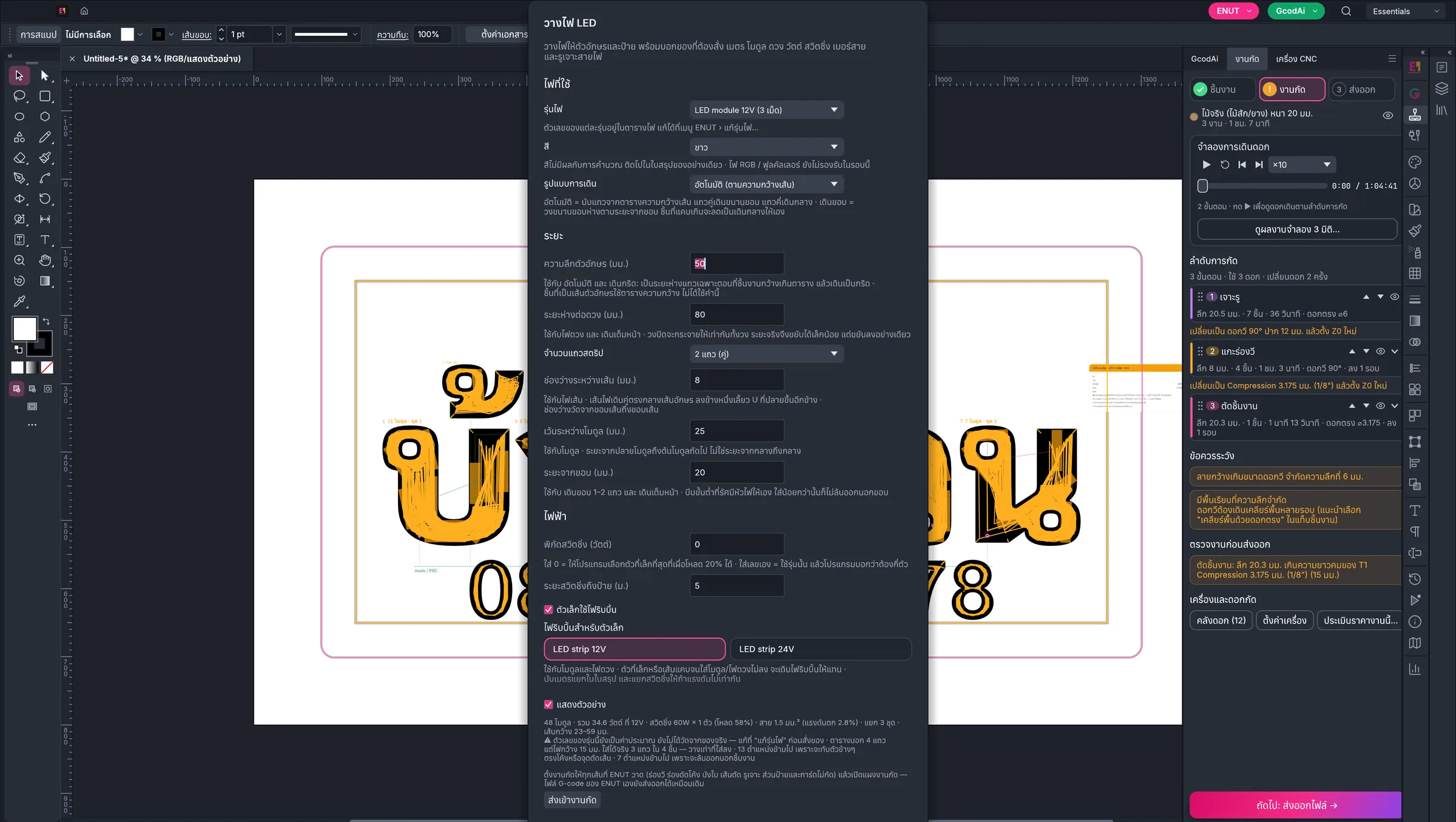
Select the channel letters and use ENUT › LED Layout…. Choose the LED model and layout pattern, and the program places the lights on your artwork and summarizes what to order, such as strip length, number of modules, watts and power supplies. All numbers are estimates.
 Clip in progress
The clip for this lesson is being made. For now, follow the screenshots and steps below. The clip will appear here when it's ready.
Steps
Select the channel letters that will get lights
Open ENUT › LED Layout…
Choose the LED model, such as LED strip 12V, LED module 12V (3 chips) or ping-pong ball lights 12V, and choose the Color
Choose the Layout pattern, such as Auto (by stroke width), center run, edge run with 1 row, or edge run with 2 rows
Enter the Letter depth (mm) and the Supply to sign (m)
Click OK. The lights are on the layer LED Lights and the order summary box is on the layer Light Summary