ScreenshotLesson 14 of 61
A 57 meter sign on one artboard, and adding real-size dimensions
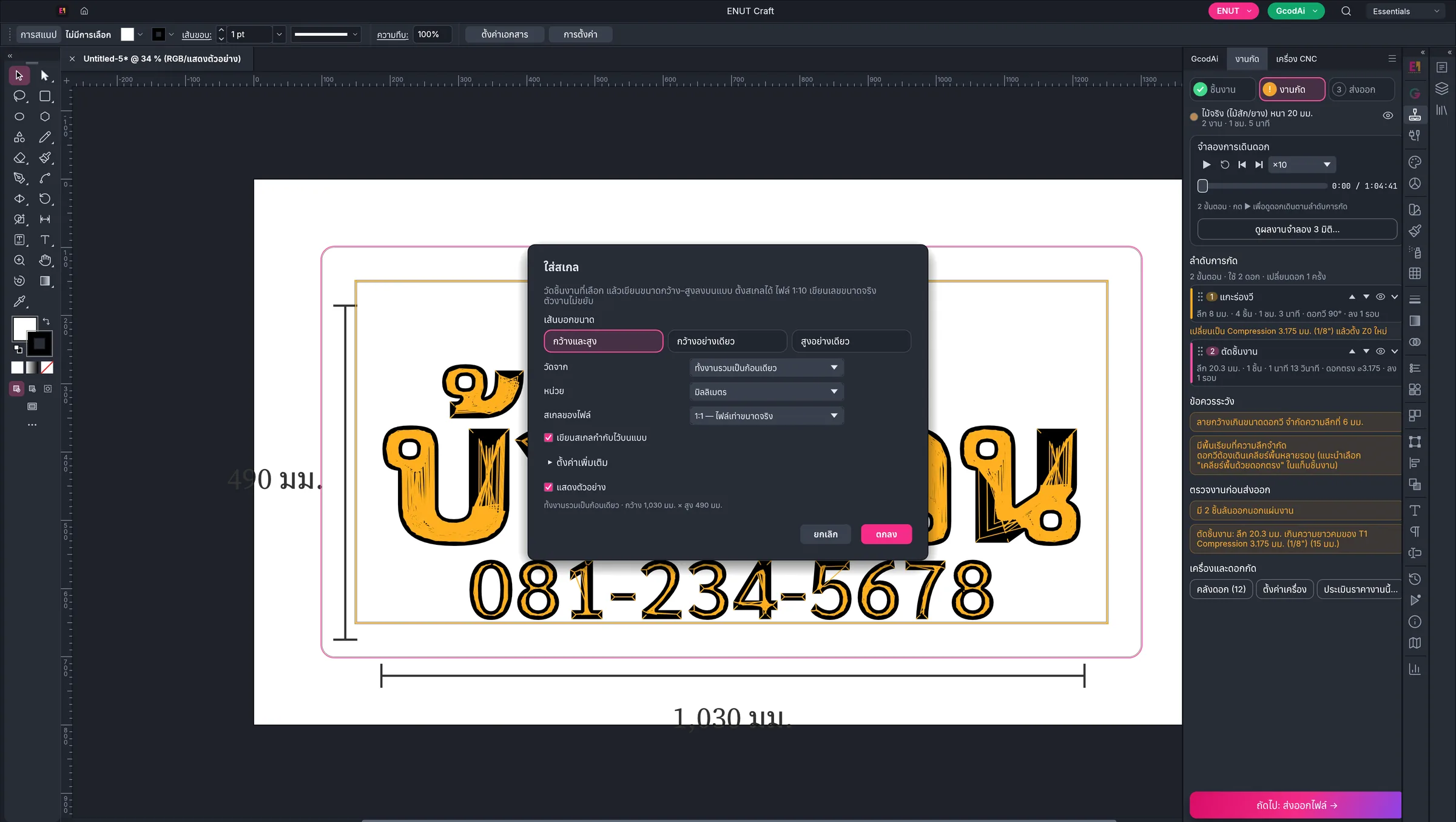
One artboard can be up to about 57 meters long, so you can design a very long sign whole at real size. Then use ENUT › Dimensions… to write the width and height on the drawing. For a 1:10 reduced file, it writes the real-size numbers for you and your artwork does not move.

Steps
Open File › New…, type the sign's real size in Width, for example 57000 mm, then click Make.
Zoom out to see the whole sign on one screen, or draw it as a reduced file, for example 1:10.
Select your work, then open ENUT › Dimensions….
Choose the Dimension lines (width and height, width only, or height only) and the Units, for example meters.
For a reduced file, set the Drawing scale, for example 1:10, tick Note the scale on the drawing, then click OK.
Export the real size as PDF, SVG or PNG from the File menu as usual.
Screenshots in this lesson